




How Indie Games Build Huge Forests Without Killing the Frame Rate
Walk into The Forest of almost any open-world game and you are looking at one of the hardest things a game has to draw. Hundreds of trees, thousands of leaves, all moving in the wind and casting shadows. Big studios have whole art teams for this. Indie developers usually do not — and yet small games ship with lush, believable woods all the time. Here is how they do it, and what to look for the next time you run through a game forest.
Why trees are so expensive
A rock is a lump. A tree is a trunk, dozens of branches and thousands of leaves, and it costs the graphics card in four different ways at once.
- Draw calls. Every separate object the game asks the GPU to draw has a fixed cost. Bark and leaves usually use different materials, so one tree is at least two calls. A hundred hand-placed trees can eat the budget of a whole level.
- Triangles. A detailed hero tree can have 40,000 triangles or more. Fine for one tree in a cutscene, impossible for a whole hillside.
- Overdraw. Leaves are flat cards with transparent pixels around the leaf shape. The GPU still processes those invisible pixels, layer after layer, for every card in the crown.
- Shadows. Each tree is drawn again into the shadow map, sometimes several times.
When a forest makes your frame rate drop, one of these four is almost always the reason.
Trick 1: level of detail
The most important trick is LOD (level of detail). Each tree exists in several versions: a full one for close up, a simpler one at mid range, and a very light one far away. The game swaps them depending on distance. A good rule of thumb is that every step should be three to four times lighter than the previous one, while keeping the same silhouette.
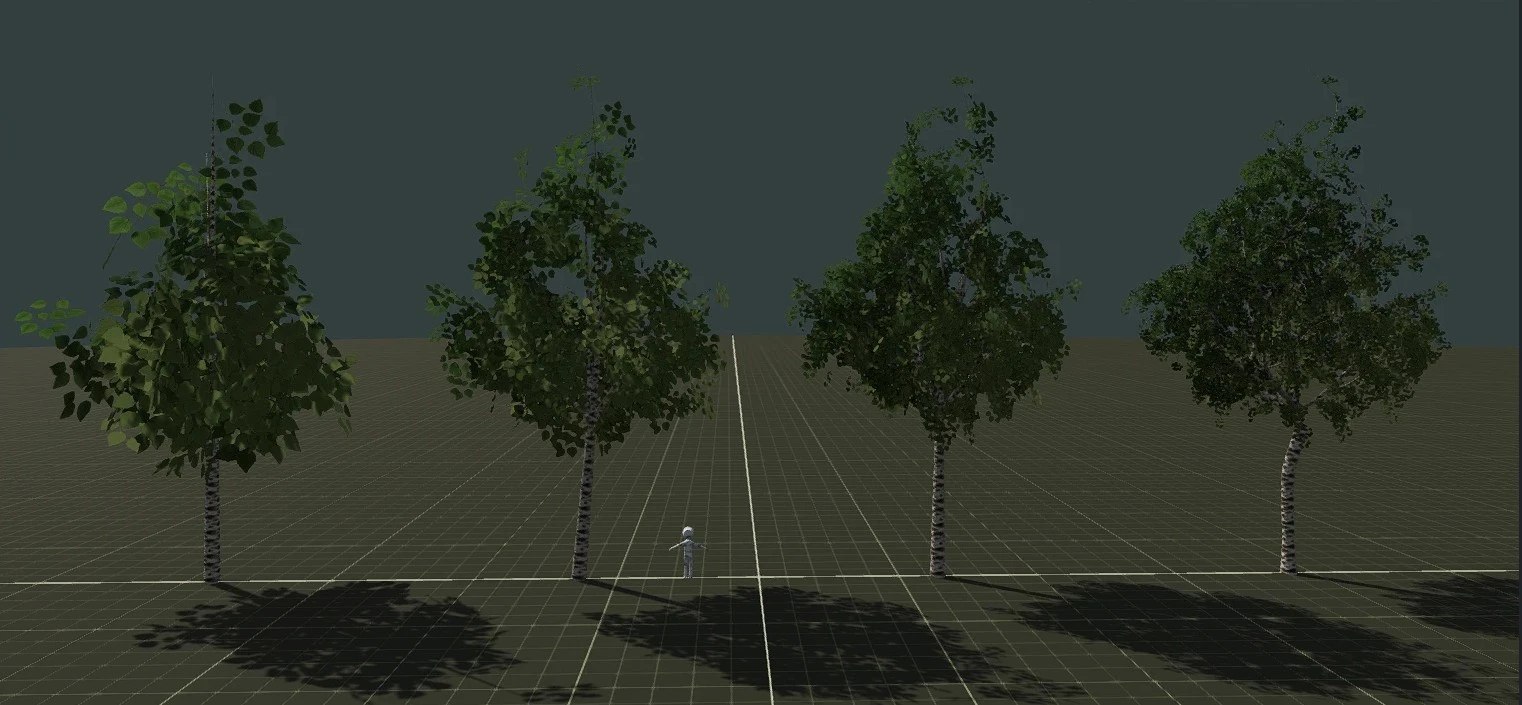
When LOD is done badly, you see it as pop-in: a tree suddenly changes shape or the crown “jumps” as you walk toward it. Good LOD keeps the outline identical, so the swap is invisible.
Trick 2: impostors for distant trees
Beyond a certain distance, even a simple 3D tree is wasted effort. Many games replace far trees with impostors — pictures of the tree taken from several angles and drawn on a flat card that turns toward the camera. Two triangles instead of thousands. Done well, a mountain covered in forest costs almost nothing, and you will never notice the trick unless you fly very low and very fast.
Trick 3: instancing and variety
Engines can draw the same mesh many times in one call — this is called instancing. It is how a game can show thousands of trees without thousands of draw calls. The catch is repetition: if every pine is the same pine, players notice the copy-paste forest immediately.
The usual fix is a small set of variants — say, six to ten versions of each species — rotated and scaled randomly. Enough variety to look natural, few enough unique meshes to stay fast.
Trick 4: wind in the shader
Trees that do not move look dead. But animating thousands of branches on the CPU would be far too slow. Instead, games store small hints in the mesh (how far a vertex is from the trunk, how flexible the branch is) and let a shader on the GPU sway everything. It costs almost nothing and makes a static forest feel alive.
Trick 5: smart leaves
Leaves use “alpha cut” materials: a pixel is either fully leaf or fully empty, with no soft transparency. That keeps them fast and avoids sorting problems. The trade-off is shimmering at a distance, which developers hide with anti-aliasing and by thinning the crown on lower LODs.
Where small teams get their trees
All of this assumes you already have good tree models with clean LODs. That is the hard part for a small team, and there are four common routes:
- Modeling by hand. Full control, but days of work per species — and the LODs still need to be made.
- Professional vegetation software. Industry tools give great results, but they cost real money and take time to learn.
- Asset packs. Quick and cheap, but the same packs appear in many games, and they rarely match your art style.
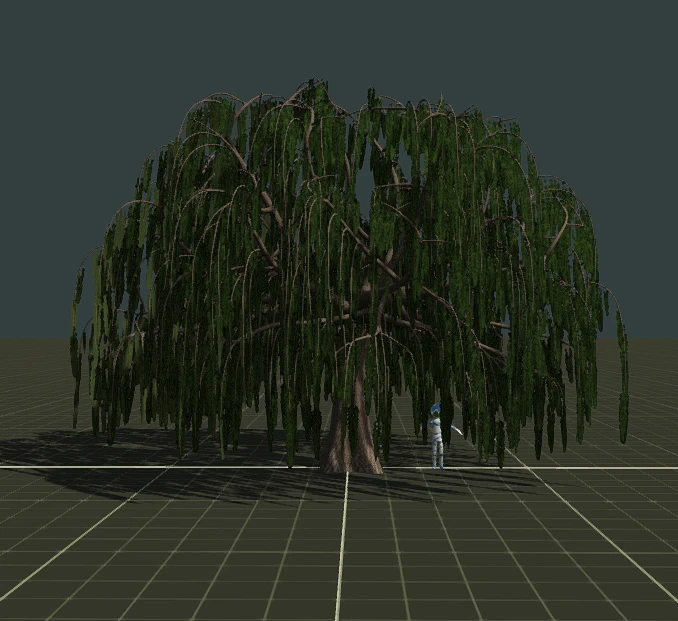
- Procedural generators. You describe the tree with parameters — height, branching, leaf density — and the software builds the mesh. Change the random seed and you get a new tree of the same species, which is exactly the variety a forest needs.
Procedural tools have become much more accessible lately. For example, FoliMesh, a 3D tree generator for games, runs in the browser: you pick a species, adjust the shape, and export a game-ready model with LODs, an impostor for far distances and wind data, in formats that Unity, Unreal, Godot and web engines understand. The mesh is built by a procedural core under a triangle budget you set; AI is used only to suggest settings and to make photo textures for bark and leaves. For teams building large maps, there are also ready approaches for vegetation for open-world games, where the whole point is thousands of trees that stay cheap.
What to look for next time you play
Once you know the tricks, you start seeing them everywhere:
- walk slowly toward a tree and watch whether the crown changes shape — that is the LOD switch;
- look at a distant hillside from a high point — those flat-looking trees are probably impostors;
- count how many identical trees stand next to each other — that shows how many variants the developers made;
- stop in a forest and watch the branches — good wind moves the trunk, the branches and the leaves at different speeds.
A forest that looks effortless is usually the result of all five tricks working together. The fact that small indie teams can now pull it off is one of the quieter revolutions in game development — and the reason your next indie adventure might have better woods than a big-budget game from ten years ago.





 1075
1075